Getting started
Thirty seconds of setup before your first match.
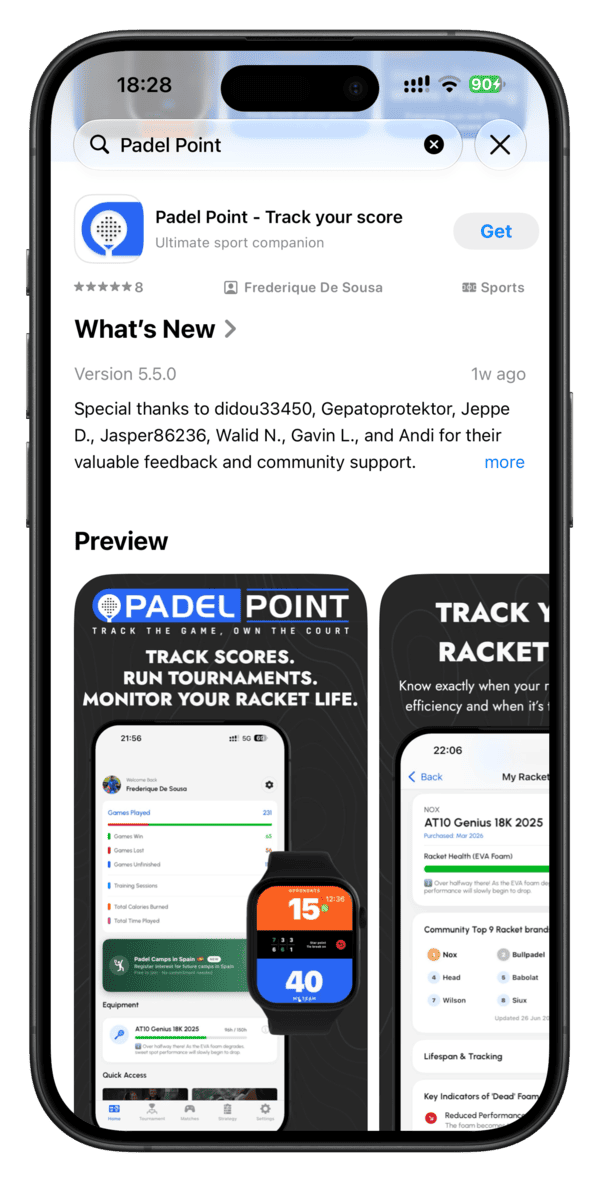
1. Install on iPhone
Download Padel Point free from the App Store. This is the foundation — match history, tournaments, strategy board and racket tracking all live here, and it's what your watch syncs back to.
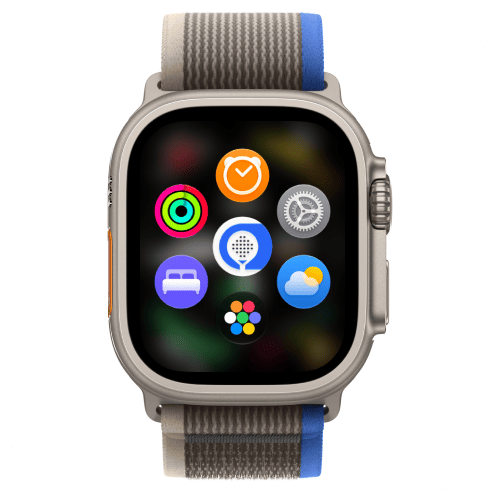
2. Install on Apple Watch
No separate download needed — once Padel Point is on your iPhone, open the Apple Watch app and it installs the companion app to your wrist automatically. From then on, the two stay in sync in both directions: start a match on your watch and it appears live on your phone, or the other way around.
If your watch isn't connected to your iPhone or the network is slow, the automatic install can take a while. In that case, open the App Store app directly on your Apple Watch, search "Padel Point," and install it from there instead.
3. Install on Huawei Watch — Smart series
Covers the Watch GT Series (GT 4, GT 5, GT 6, GT Runner 2) and the Premium & Health Series (Watch Ultimate 1, Watch D2). Due to a software limitation on Huawei's side, there's no direct download link — open AppGallery directly on your watch, search "Padel Point," and tap Install. It's ready to score with in seconds, no phone-side pairing app required.
4. Install on Huawei Watch — Lite series
Covers the Watch Fit Series (Fit 3, Fit 4, Fit 5) — the lighter, fitness-focused line, including the Watch FIT 5 Series featured by Huawei. Same install path applies: there's no direct download link due to that same software limitation — open AppGallery on the watch, search "Padel Point," tap Install.
Permissions
The first time you open Padel Point on your watch, it'll ask for permission to access your health data — to read it during the match and save it into your match record on your phone and watch afterward. Allowing this lets you enjoy the app exactly as intended. Denying it means I won't be able to read your heart rate or energy, or save them to your match history.
- Health data — I read your heart rate, active energy and distance during a match so I can show you effort, not just score. I never write anything back to Health.
- Not enabled? If Health access isn't enabled on your watch at first launch, your iPhone detects it and shows a warning screen that walks you through enabling it, so your health data is recorded during games.
- Notifications — used for match reminders and sync confirmations. Entirely optional.
Didn't allow Health access at first launch?
You can turn it on at any time. On your iPhone, go to:
Settings → Privacy & Security → Health → Padel Point → Change Access → Enable all of them
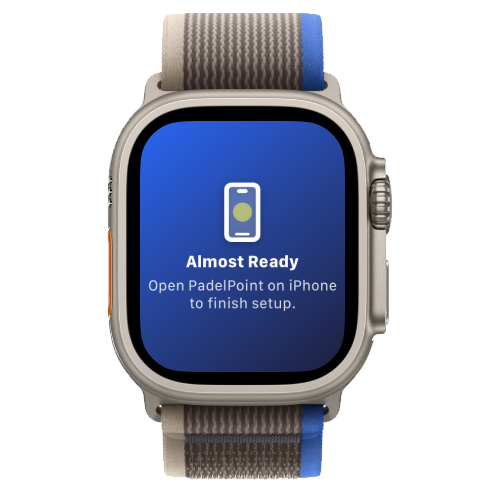
Finish onboarding on iPhone first
One important step before your first match: launch Padel Point on your iPhone and complete the short onboarding there first. If you open the watch app before that's done, you'll see a "Setup Required" screen on your watch until onboarding on iPhone is finished.
Already finished onboarding and still stuck on that screen? On your iPhone, open Settings and tap Unlock Apple Watch.
⌚ Apple Watch only — Huawei Watch coming soonRecording a match
This is the core of my app — everything else builds on top of it. Here's exactly what happens from the moment you tap Start on your Apple Watch.
Choose your match type
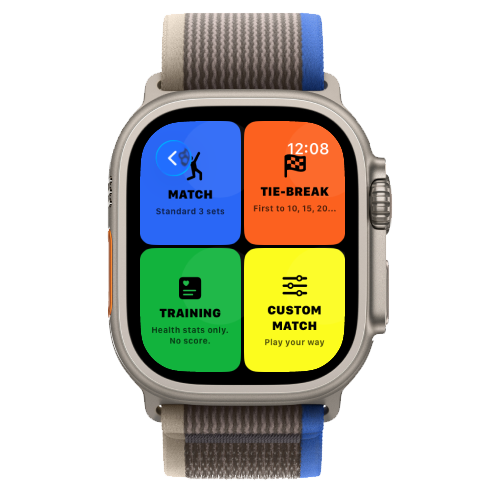
Tap Start a Match, then pick a format — each one asks a few quick configuration questions before you play.
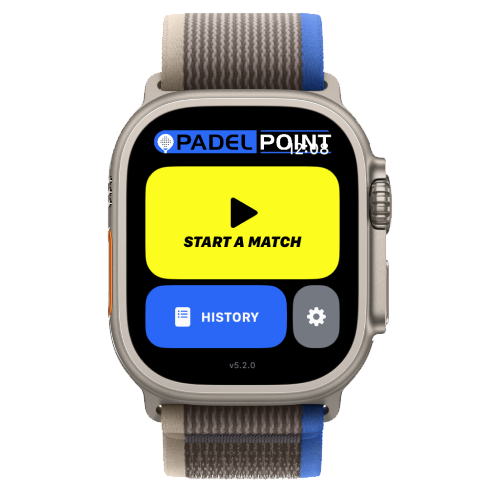
Normal Match
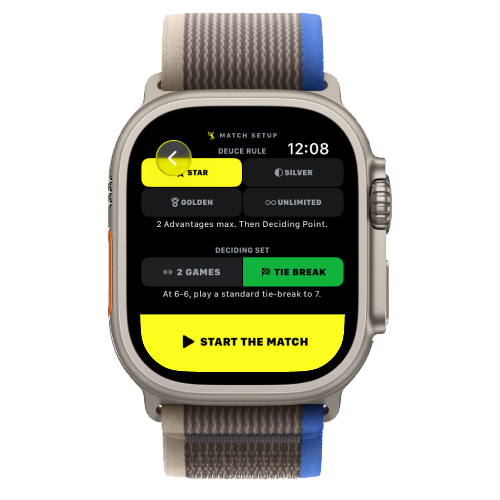
Choose your deuce rule — Golden Point, Silver Point, Star Point or Unlimited Deuce — then set how the deciding set plays out: win by two games, or a tie-break. Tap Go and you're ready to serve.
Super Tie-Break
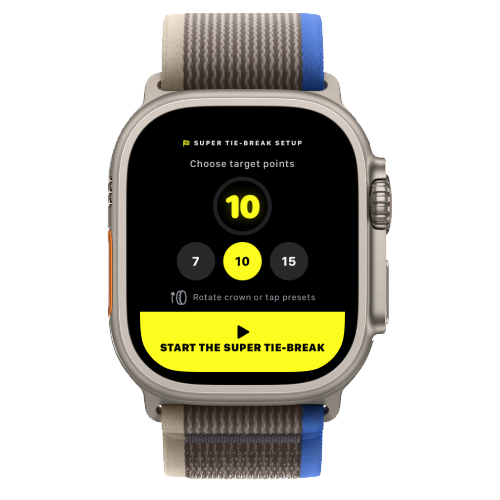
Choose your target score — a race to 10 points is the default — then tap Go.
Training
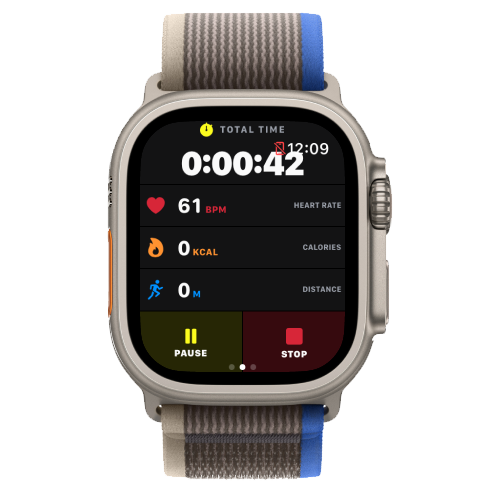
No configuration needed. Tap Go and I'll track your health data for the session, with no scoring logic running underneath.
Custom Match
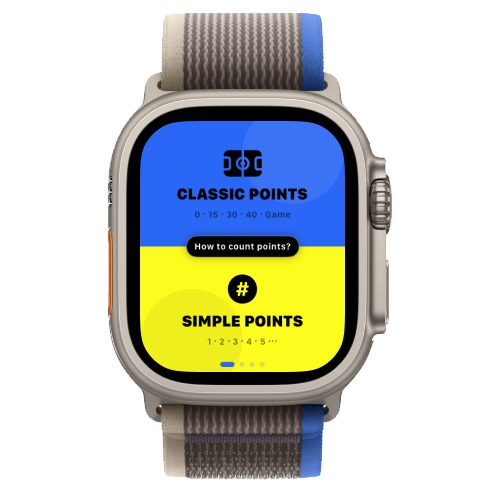
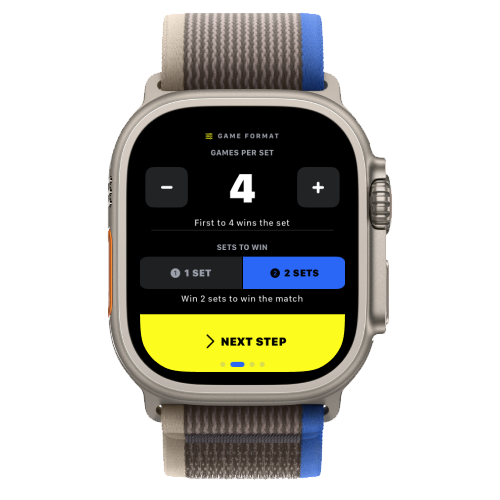
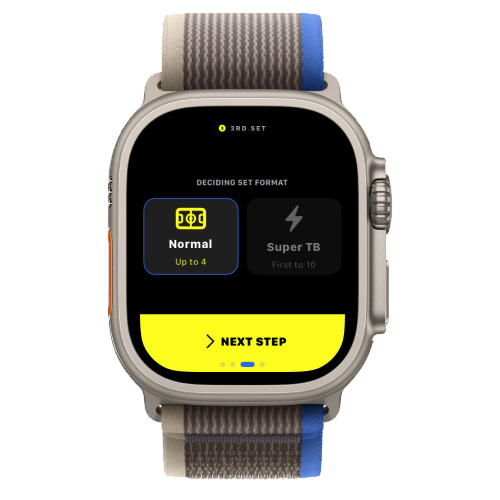
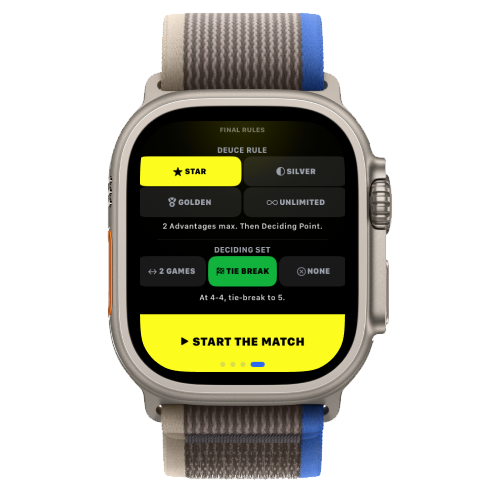
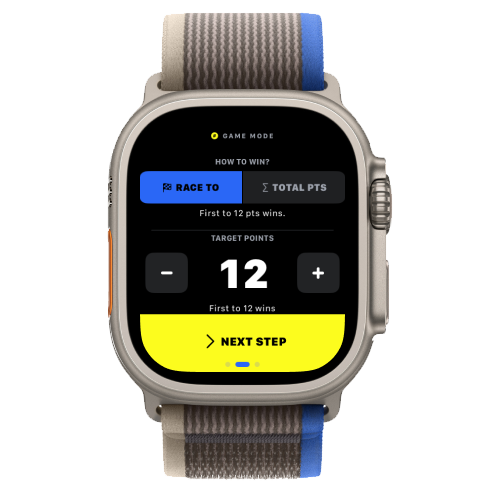
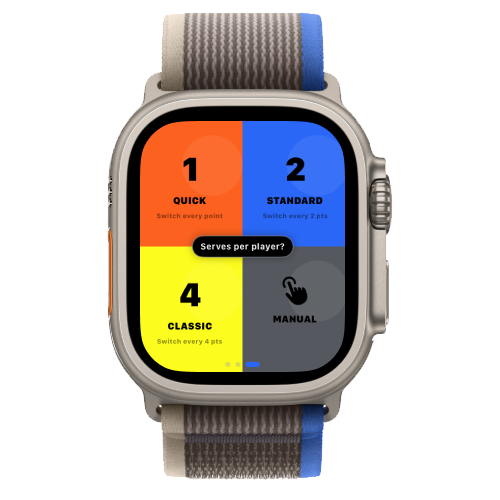
Choose your point style first — Classic Points (0 · 15 · 30 · 40 · AD) or Simple Points (1, 2, 3…). With Classic Points, choose 1 or 2 winning sets, then set your deuce and deciding-set rules. With Simple Points, choose a race-to-X or total-X target score, then set how many serves each player gets. Tap Go and you're ready to play.
⌚ Apple Watch only — Huawei Watch coming soon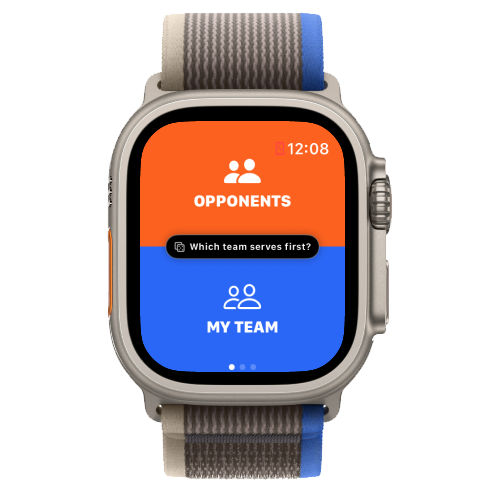
Choose who serves first
Once you tap Go, the first screen asks who's serving. If you already know, tap the team directly — Opponent or Your Team. Not sure? Long-press the screen and I'll randomize it for you.
Track who's serving — left or right
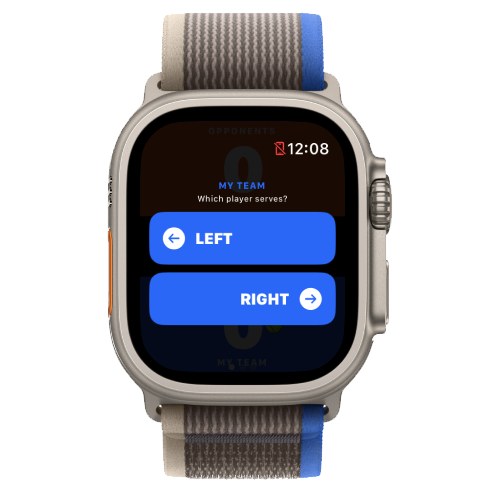
After the first team is set, I track the serving player throughout the match. Depending on which team is serving, I'll ask whether it's the left or right player — tap to choose (from your side if it's your team, or from your point of view if it's the opponent).
⌚ Apple Watch only — Huawei Watch coming soon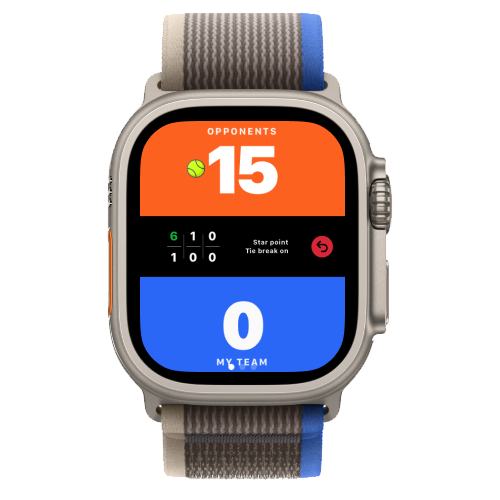
Left
Right
Left
Right
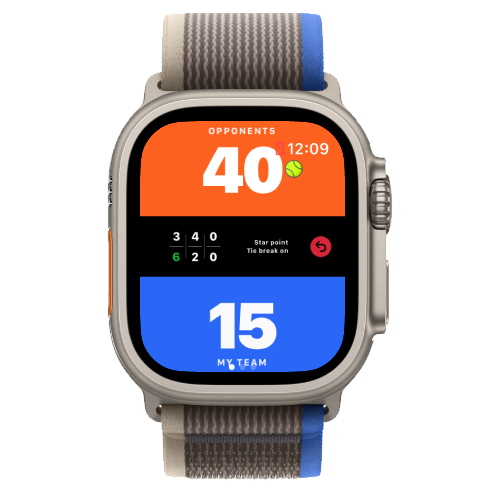
Serve indicator — the ball icon
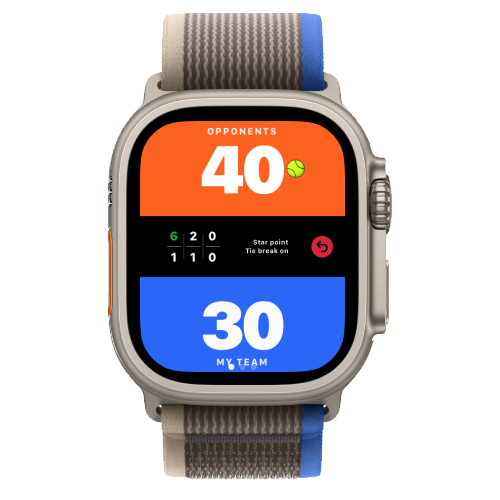
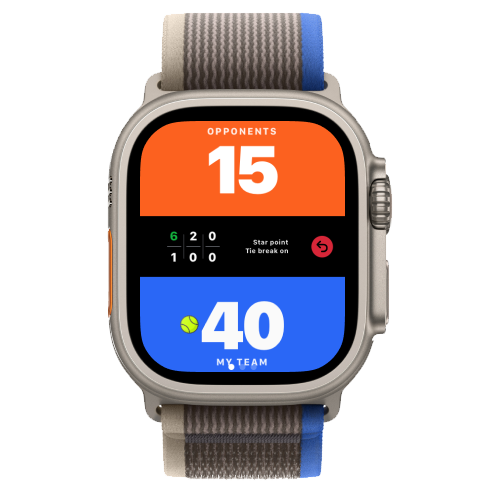
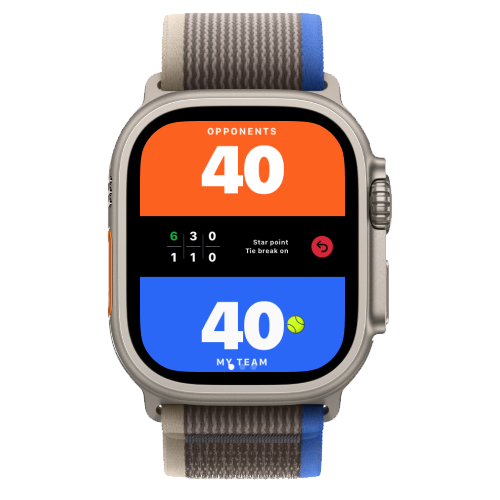
Throughout the match, a small ball icon on the score screen shows who is serving right now: which team, and which player on that team (left or right). One glance at your watch is enough to know who should be serving the next point, with no need to ask anyone.
It updates on its own as the game goes on, and you can correct it any time — see "Fix the server mid-match" below.
⌚ Apple Watch only — Huawei Watch coming soon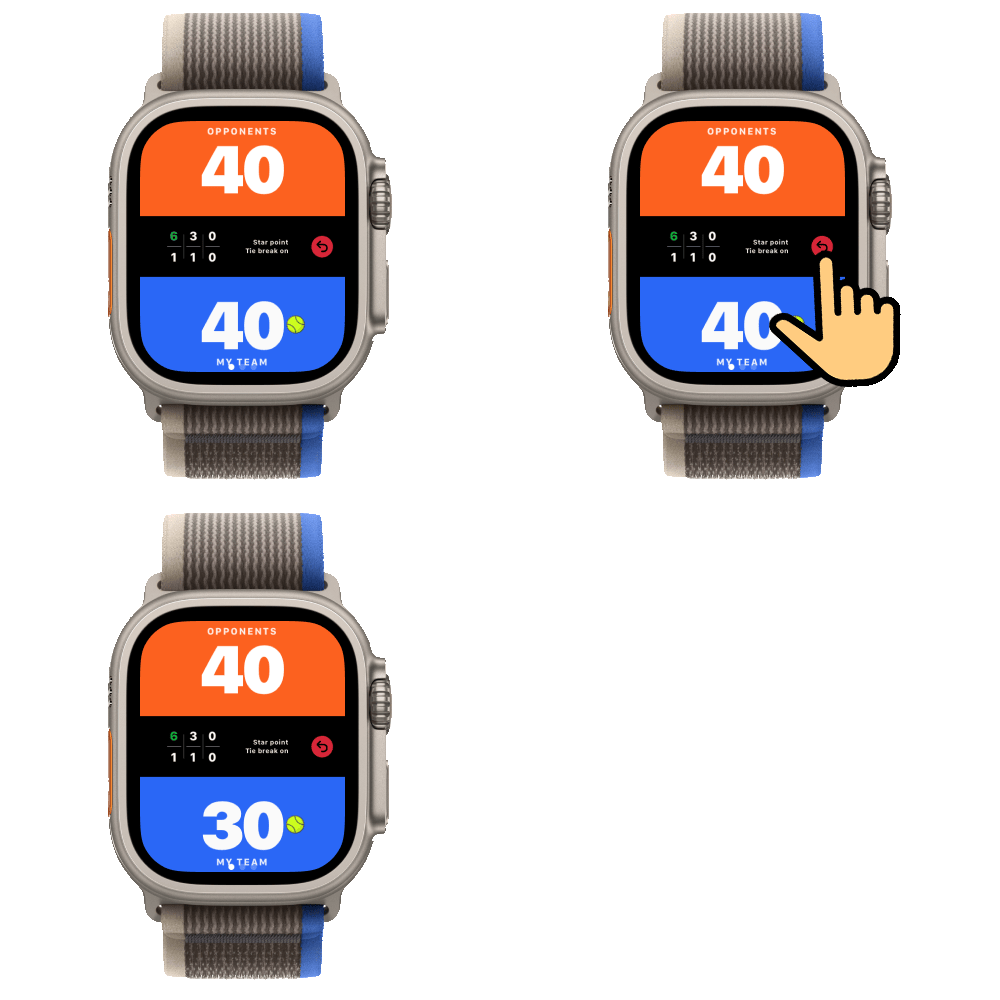
Tap to score, undo mistakes
Your watch screen splits into two zones — one per side. Tap your side each time you win a point, and the app handle games, sets, tie-breaks and match point automatically underneath. Made a mistake? A single tap on Undo reverts the last point — you can undo up to five actions back.
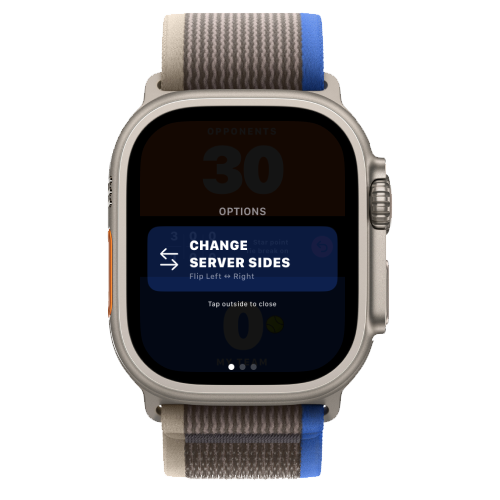
Fix the server mid-match
Made a mistake with who's serving, or the server changes at a new set? Long-press Undo for 1 second — it opens a small screen with a button to flip the server's side, from left to right or right to left.
⌚ Apple Watch only — Huawei Watch coming soon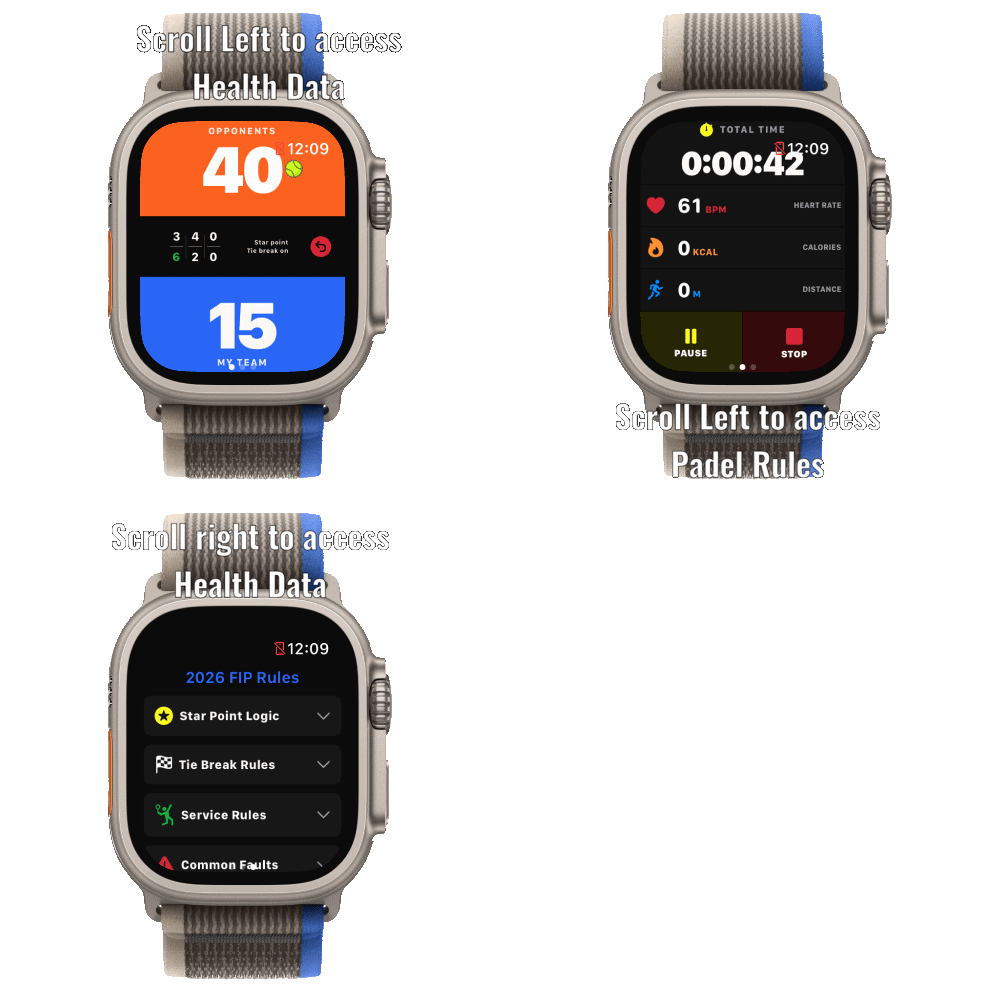
Easy swipe navigation to Health & Rules
During a live match, swipe left from the scoring screen to check your real-time Health KPIs (heart rate, calories, distance ran, workout time). Swipe left once more to quickly consult official Padel Rules mid-game. Swipe right at any time to return straight to your score.
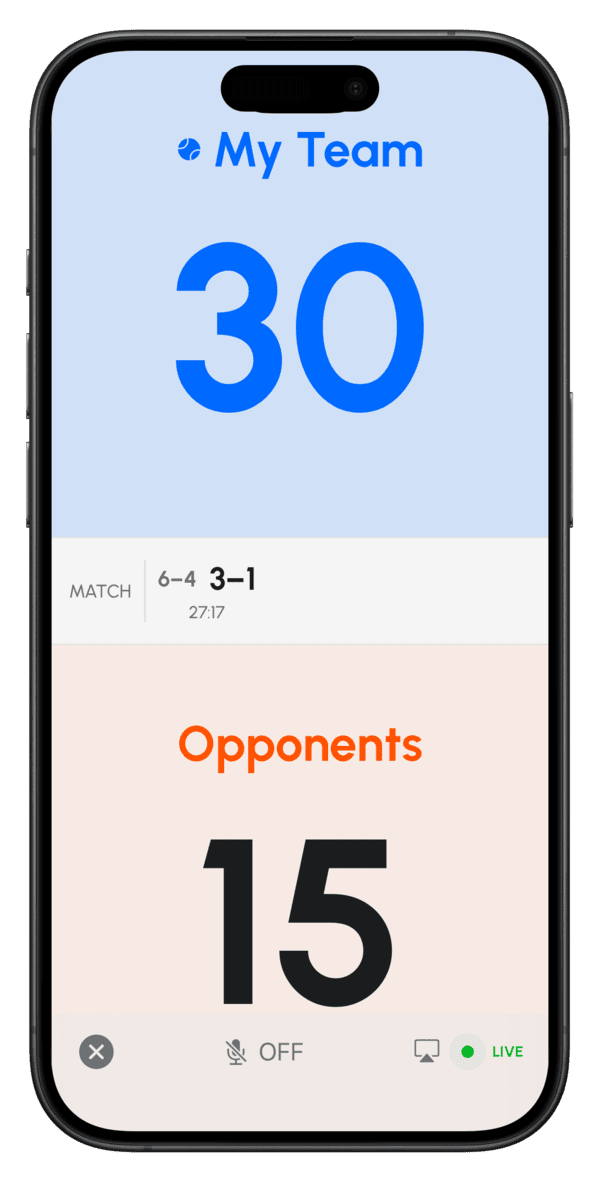
Live scoreboard on iPhone
Got friends courtside who want to follow along? Open Padel Point on your iPhone, make sure a match is running on your Apple Watch, then tap Live Game at the top of the Home screen. From there, every tap on your watch updates the scoreboard on your iPhone live. Turn on voice announcements right from the scoreboard, or connect a Bluetooth speaker to your iPhone so the whole court can hear the score called out.
- Your language — change the language the score is announced in directly from the scoreboard screen.
- AirPlay — send the scoreboard to a bigger screen.
- Easy to read — large text, so friends can follow the score from the side of the court.
Game types & rules
Pick the format before you start, and choose exactly how deuce plays out.
Standard Match
Best-of-three sets, traditional padel scoring.
Super Tie-Break
A single deciding set played to 10, for a quicker match.
Training
Track a session without the pressure of a competitive result.
Custom Game
Set your own rules when the standard formats don't fit.
⌚ Apple Watch only — Huawei Watch coming soonDeuce variants
At 40-40, choose how the point plays out.
Golden Point
At 40-40, one single point decides the game — no advantage. The receiving team chooses which player receives the serve.
Silver Point
Deuce gets one extra chance. The first time you reach 40-40, advantage is played as usual. If the game comes back to 40-40 a second time, one single golden point decides it.
Star Point (FIP 2026)
Official FIP rule for all tournaments since 1 January 2026. Advantage is played at the first two deuces; if the game reaches 40-40 a third time, one golden point decides it. A longer fight than Silver Point, but never endless.
Unlimited Deuce
Traditional advantage scoring, with no cap — play it out exactly as advantage/deuce dictates.
⌚ Apple Watch only — Huawei Watch coming soonTournaments
Run a full event, not just a single match — I handle the bracket and leaderboard for you.
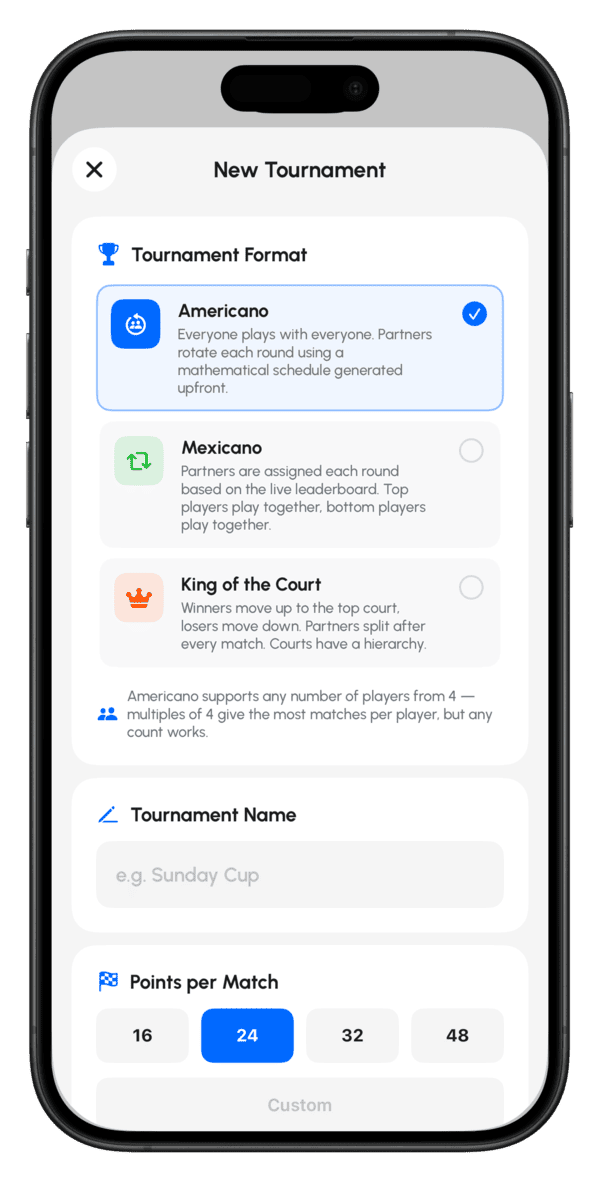
Choose your format
- Americano — every player partners with everyone else across rounds; works with regular or odd player counts.
- Mexicano — like Americano, but pairings are ranked dynamically as the tournament progresses.
- King of the Court — winners move up, losers move down, court by court.
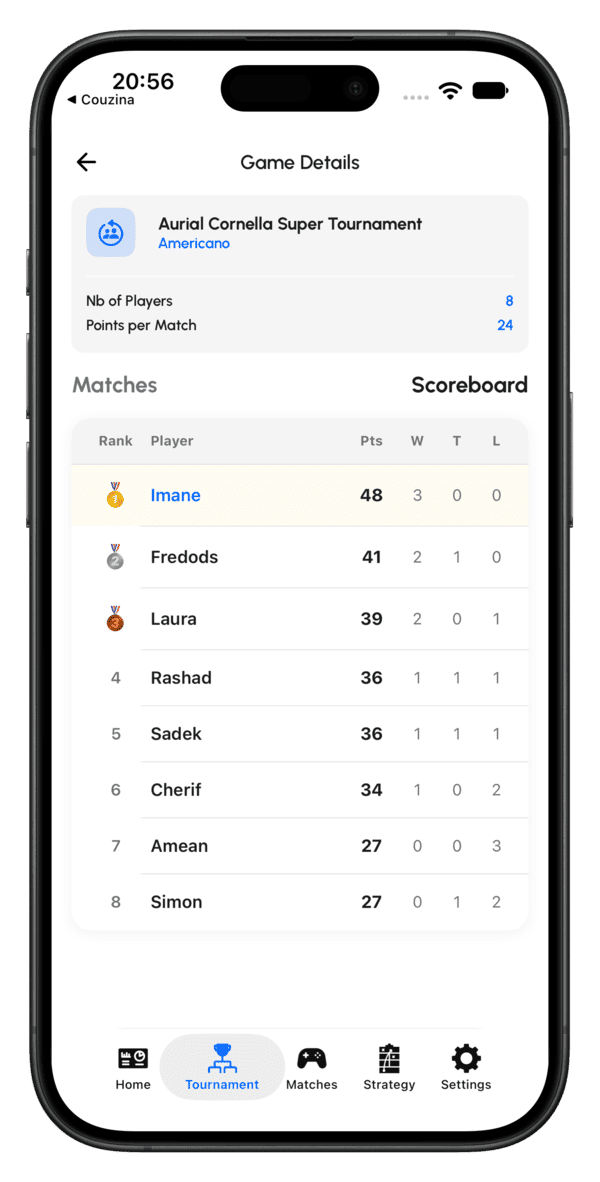
Leaderboard, updated live
As each match finishes, standings update immediately — no manual score entry once the tournament is running.
Strategy board
Plan tactics on a full court canvas, on your iPhone or iPad.
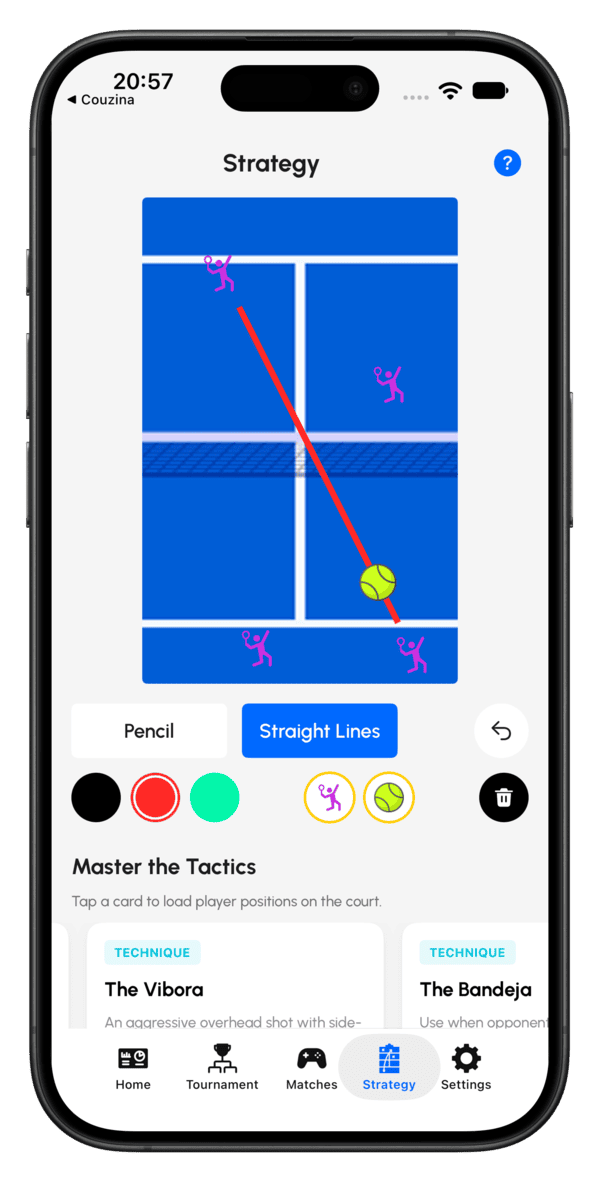
Draw, place, save
Draw movement lines directly on a court diagram, drag on player and ball icons to mark positions, and clear the canvas whenever you want to start fresh.
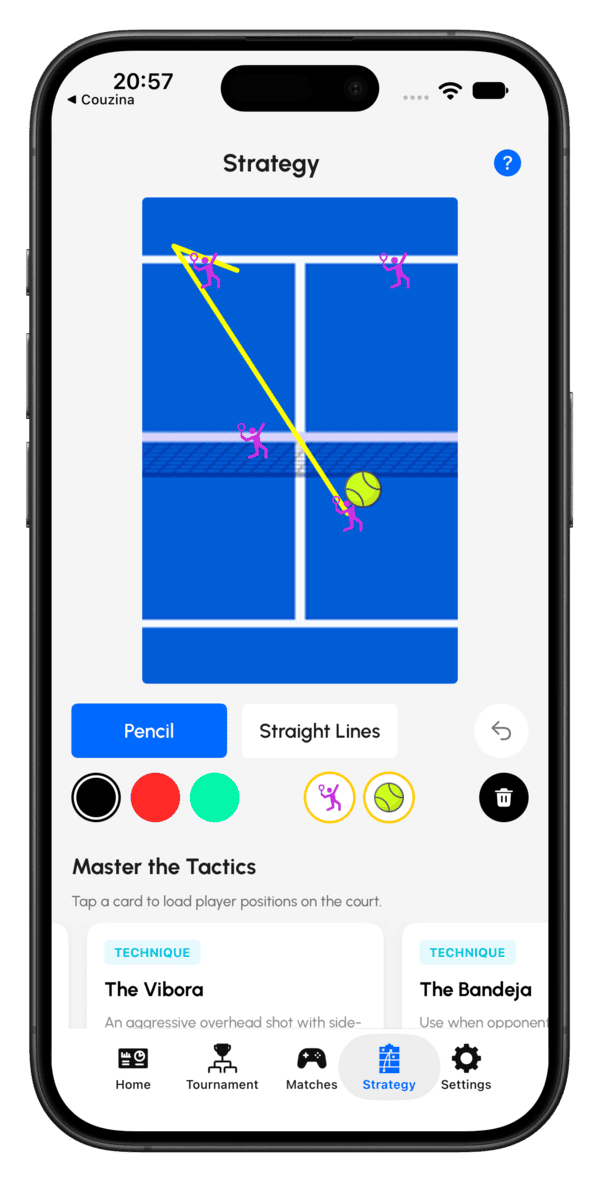
Pre-made tactic templates
Start from a ready-made formation instead of a blank court — useful for coaching sessions or explaining a tactic quickly.
After the match — stats & sharing
Every match becomes a record you can review, tag, and share.
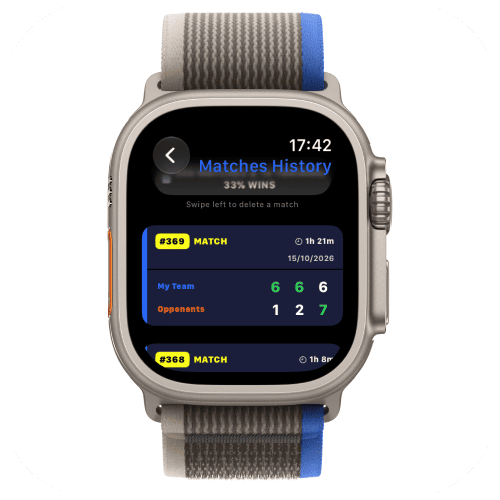
Find your match history
On your watch, every match you've recorded lives under the History tab on the home screen. On iPhone, a finished match shows up under the Matches tab within a few seconds of syncing from your watch, with a recap and health data ready to go.
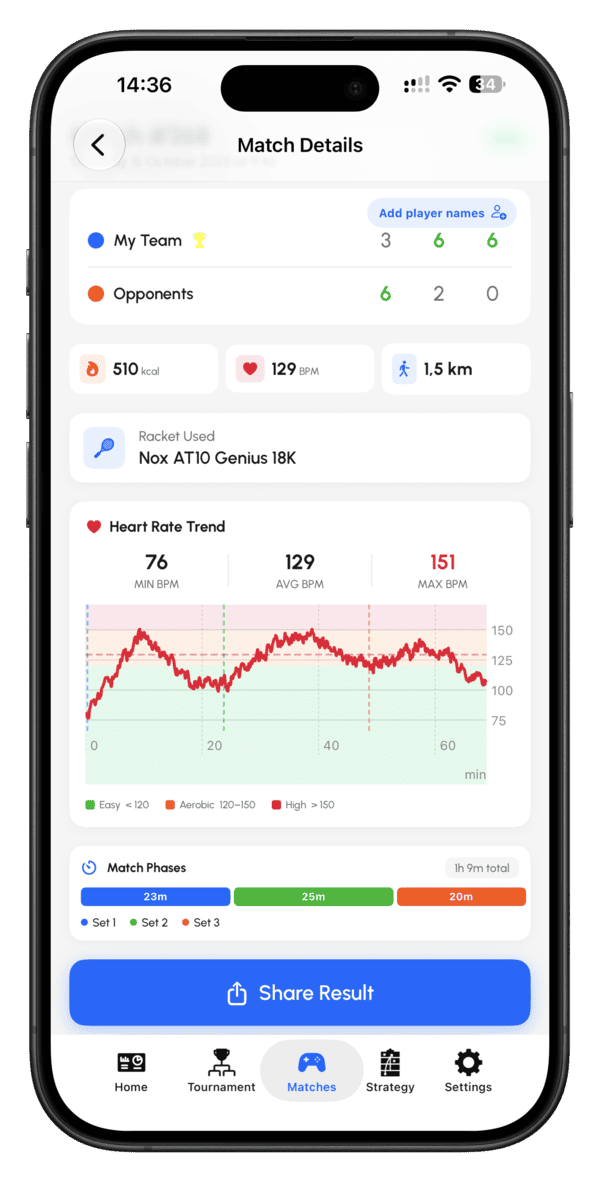
Match Detail View
Tap into any match for the full picture: the final score set by set, calories burned, average heart rate and distance, the racket you played with, and a heart rate trend across the whole match with Easy, Aerobic and High zones. Match Phases shows how long each set lasted, and Share Result sits right at the bottom.
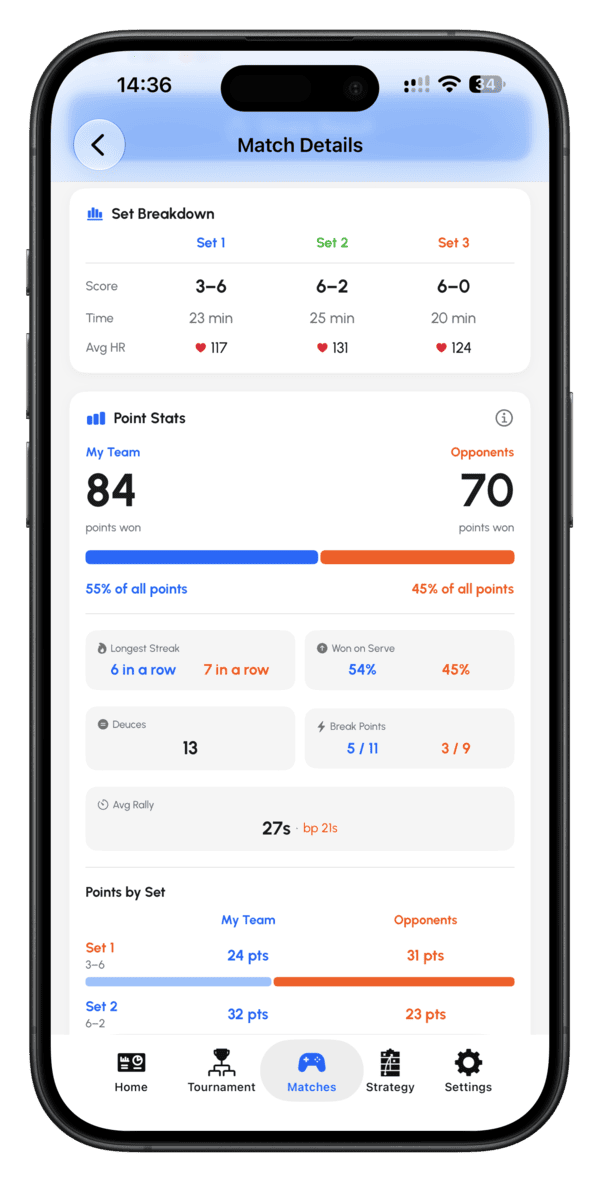
More insights — scroll down for the full breakdown
Keep scrolling in Match Details to see how the match was really won.
- Set Breakdown — score, time and average heart rate for each set.
- Point Stats — total points won by your team and the opponents, with the share of all points played.
- Longest streak — the most points in a row for each team.
- Won on serve — the percentage of points each team won on their own serve.
- Deuces — how many times the game went to deuce.
- Break points — how many each team converted out of those they had.
- Avg rally — average rally time, with the longest rally shown next to it.
- Points by Set — points won per team in every set.
- Replay — replay the whole game point by point.
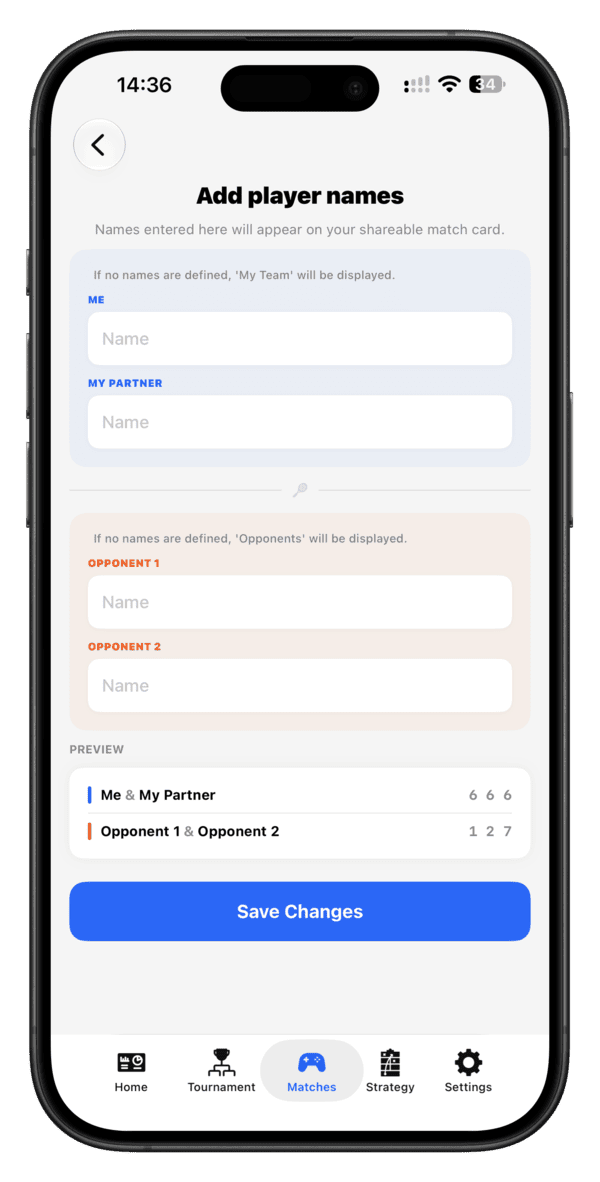
Tag your playing partners
Tag who you played with and against directly from a match, and I'll build your playing network over time — who you play with most, and how those matches go.
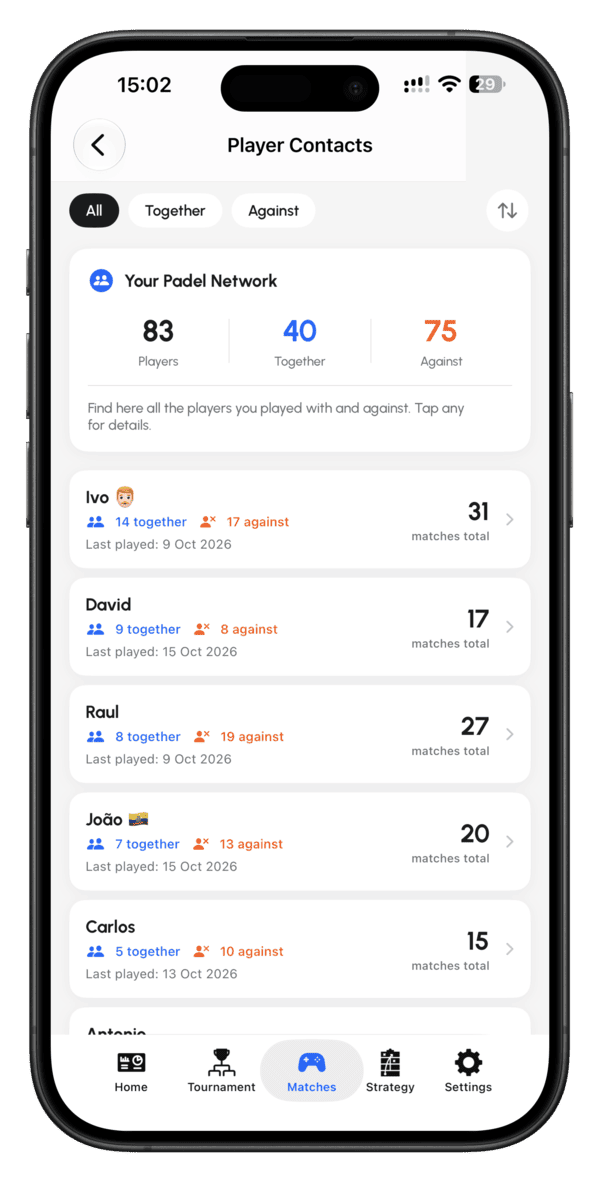
Your Padel Network
Once you've tagged the players you play with, Padel Point builds your Padel Network from the Matches tab. At the top you see how many different players you've met, and how many of them you've played together with or against.
- Every player in one list — with how many matches you've played together and against them, the date you last played, and your total matches.
- Filter and sort — switch between All, Together and Against, and reorder the list.
- Tap any player for the details.
It's built from the names you add after your games, so the more matches you tag, the better it gets.
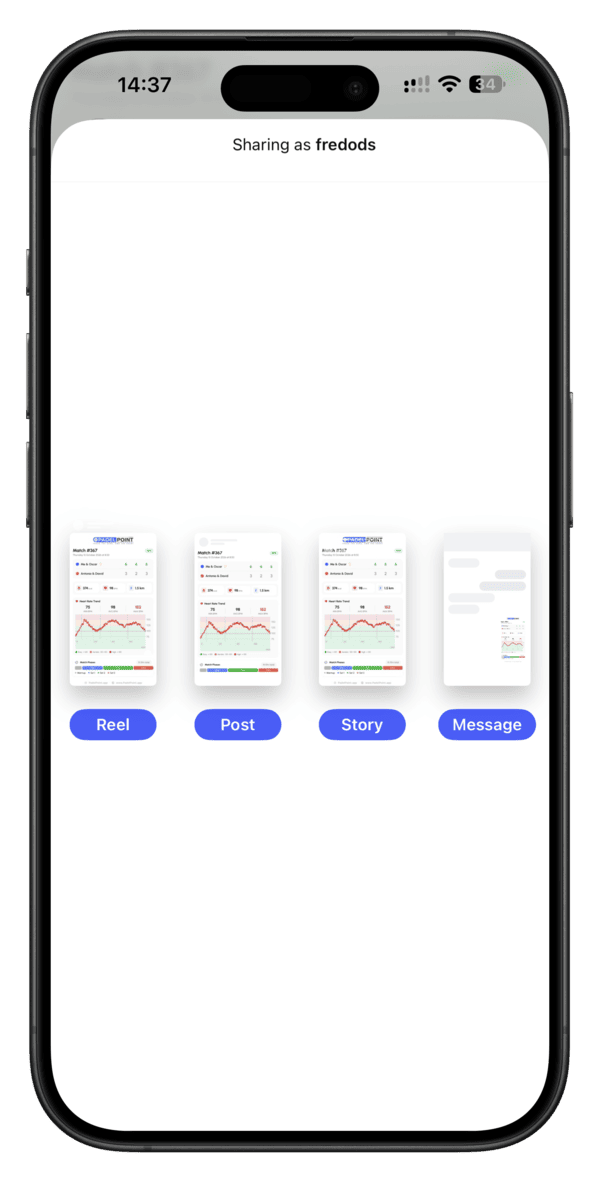
Share a match to social media
From Match Detail View, tap Share Result to generate a clean summary card of your result — ready to post straight to your socials.
Gear & progress
Your racket wears out — I help you know when.
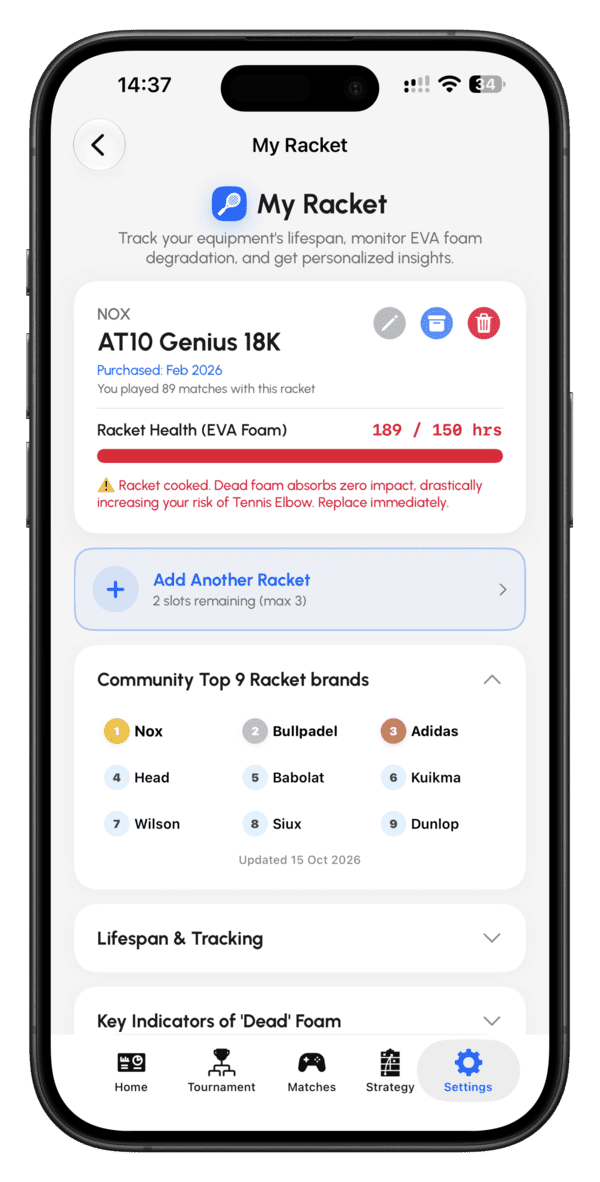
Racket lifespan tracking
Open Settings → My Racket and add your racket once — brand, model and purchase date. Every match you log counts toward its usage, and Racket Health tracks the wear of the EVA foam in hours played (for example 189 / 150 hrs). When the foam is worn out, I'll warn you it's time to replace it.
- Track up to 3 rackets and switch between them.
- See how many matches you've played with each one.
- Browse the community's most-used racket brands, and read the lifespan guide and the key signs of dead foam.
Settings & customization
Make my app sound and speak the way you want.
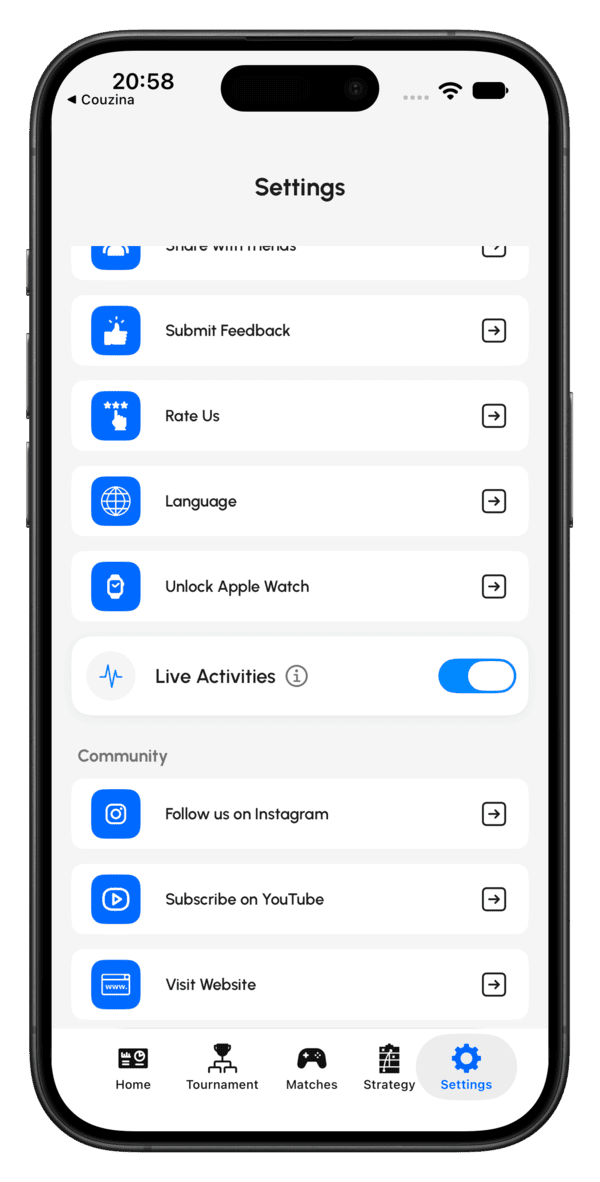
Change your language
My app supports 25 languages and follows your device language by default. To set it manually, go to Settings → Language and pick from the list:
English, Spanish, Catalan, French, Italian, Portuguese, German, Dutch, Danish, Swedish, Polish, Romanian, Thai, Vietnamese, Japanese, Indonesian, Malay, Greek, Ukrainian, Turkish, Korean, Hungarian, Chinese, Arabic and Russian.
Voice announcements & watch settings
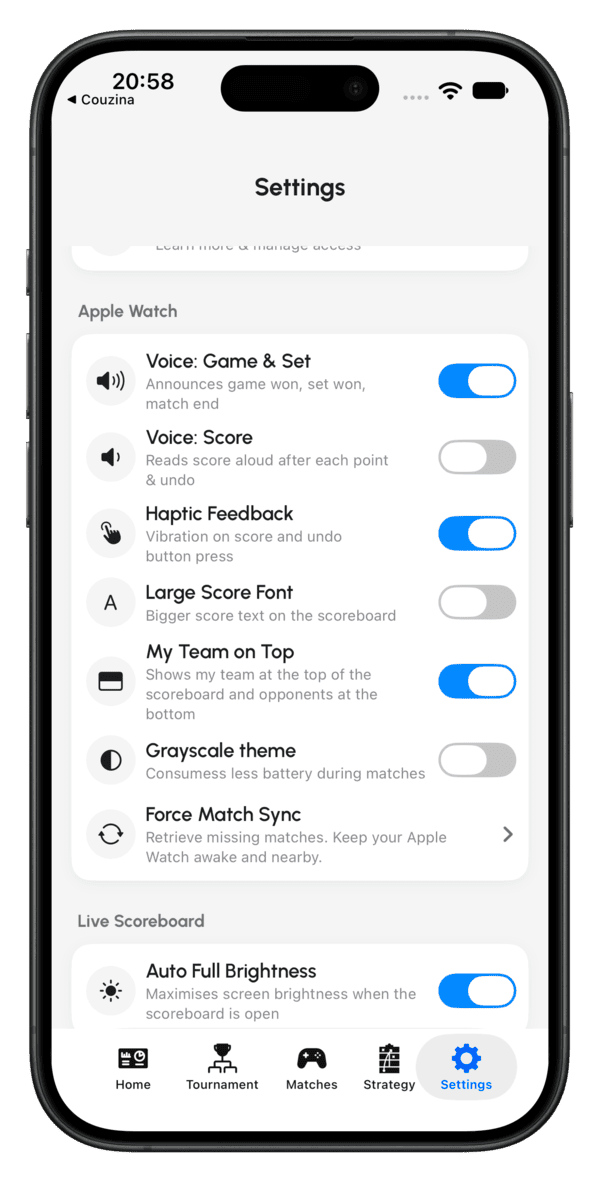
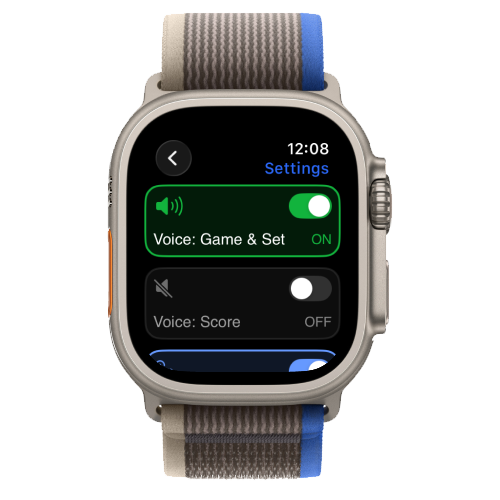
Make my app sound and look the way you want during a match. Everything is in Settings, under Apple Watch, and stays in sync with your watch.
- Voice: Game & Set — announces game won, set won and match end.
- Voice: Score — reads the score aloud after each point and each undo. Useful when you can't glance at your watch, or want the score called out loud during a fast rally.
- Haptic Feedback — a vibration on every score and undo press.
- Large Score Font — bigger score text on the scoreboard.
- My Team on Top — shows your team at the top of the scoreboard and the opponents at the bottom.
- Grayscale theme — uses less battery during matches.
- Force Match Sync — retrieves missing matches. Keep your Apple Watch awake and nearby.
Your data
Everything you record stays yours — synced across your own devices, and exportable whenever you want.
iCloud sync
Matches, tournaments and racket data sync automatically across every device signed into the same iCloud account — no manual backup needed.
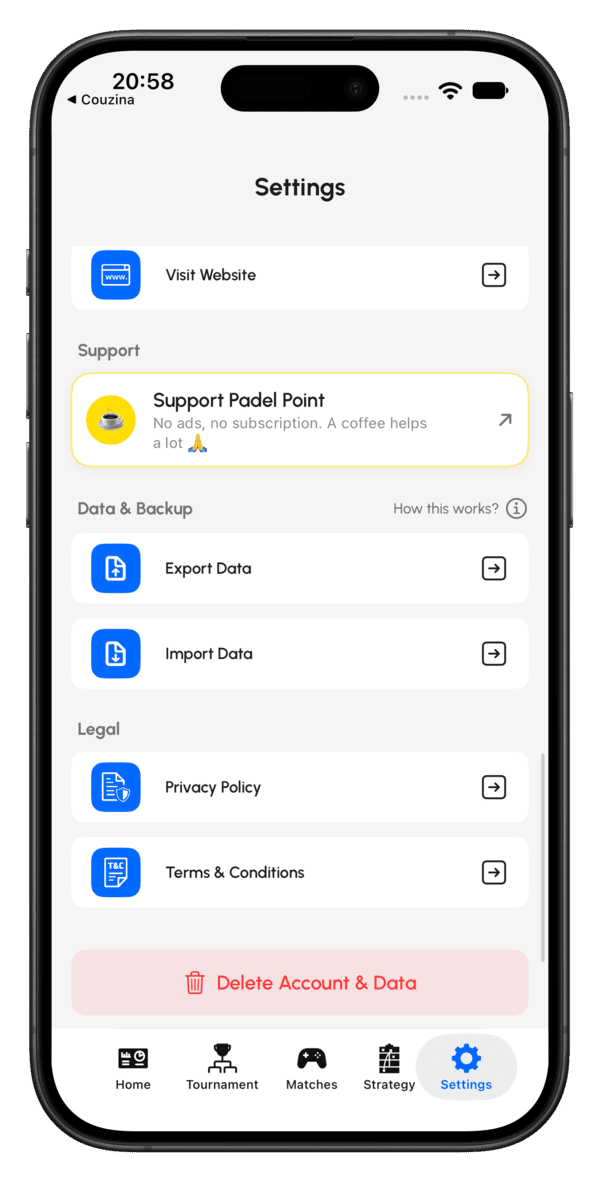
Export & import
Export your match history to keep an independent copy, or import a previous export back into the app. Open Settings → Export Data to export, or Settings → Import Data to bring an export back in.
AI Swing Detection
Your Huawei Watch recognises your shots as you play, live during the match and in a summary afterwards.
⌚ Huawei Watch only, for nowHow to turn it on
AI Swing Detection is enabled only after you grant Padel Point permission to use the watch's Workout service. When the permission prompt appears, allow it, and the feature starts working in your next match.
Which Huawei watches support it
It works today on:
- Huawei Watch GT7 and GT7 Pro
- Huawei Watch D3
More watches will be supported as they receive the OS update that includes the Workout service. The Watch FIT 5 and FIT 5 Pro will receive that update soon.
Live during the match, and a summary after
Your swing data appears in two places: live on your watch while you play, and in a summary shown after the match. Swipe up through the screens to see everything, from your swing count to your speed per shot.
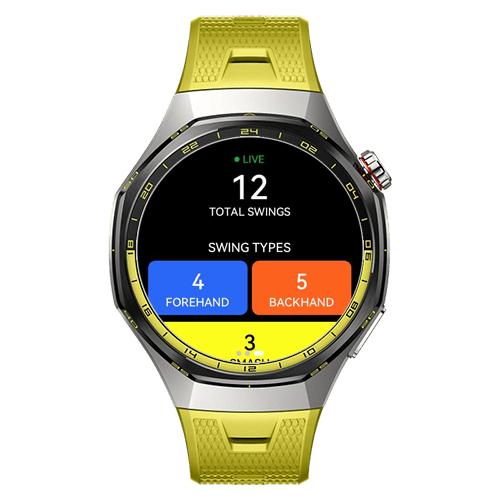
Your swings, counted live
A green LIVE indicator shows the feature is working. You see your total swings so far, and below it a count for each swing type: forehand, backhand and smash.
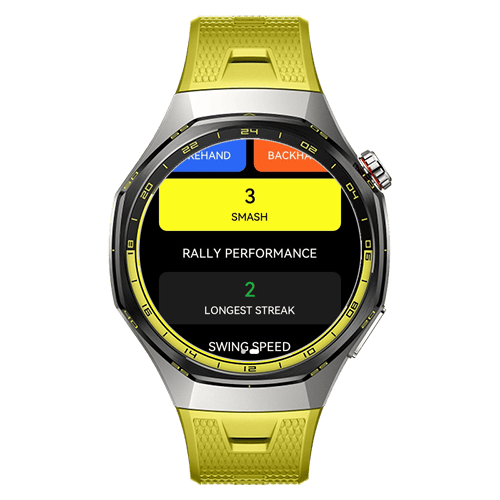
Rally performance
Scroll down to see your longest streak, the best run you managed in a rally.
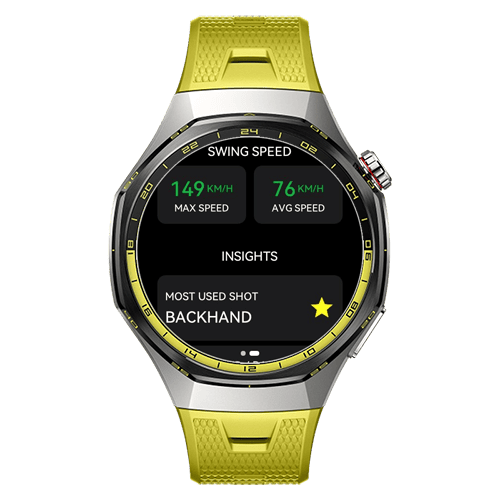
Swing speed and your most used shot
- Max speed — your fastest shot of the match, in km/h.
- Avg speed — your average shot speed, in km/h.
- Most used shot — the shot you played the most, marked with a star.
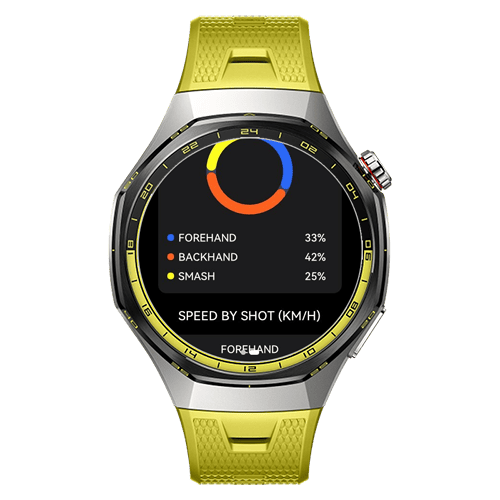
Shot type distribution
A donut chart shows how your shots break down, with the percentage of forehands, backhands and smashes. You also get your forehand / backhand balance, for example 44% / 56%, so you can see which side you rely on.
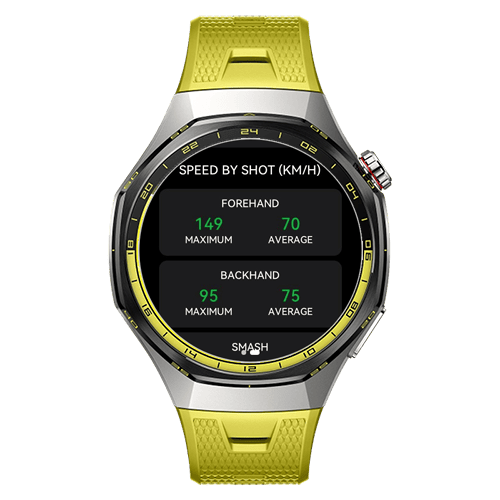
Speed by shot
See the maximum and average speed for each shot type, in km/h. It's an easy way to compare, for example, your fastest forehand with your average backhand.
Which shots are detected
At the moment, Padel Point detects three shots:
- Forehand
- Backhand
- Smash
More shots are coming in the next update. The shots you'll be able to track will be:
- Forehand and backhand
- Forehand swing and backhand swing
- Bandeja / Víbora
- Smash
- Serve
- Forehand volley and backhand volley
The watch labels swing data as experimental, so treat the numbers as a guide, not a measurement.
Huawei Watch — what's different
The Huawei build is maintained by Huawei's own team on a separate release schedule, so it sometimes trails a step behind the Apple Watch version. Here's the honest picture, in one place.
| Feature | Apple Watch | Huawei Watch |
|---|---|---|
| Match recording & scoring | ✓ Supported | ✓ Supported |
| Golden / Silver / Star Point | ✓ Supported | ✓ Supported |
| Unlimited Deuce | ✓ Supported | ◔ Coming soon |
| Custom Match | ✓ Supported | ◔ Coming soon |
| Left / right server tracking | ✓ Supported | ◔ Coming soon |
| Change server side mid-match | ✓ Supported | ◔ Coming soon |
| "Setup Required" onboarding screen | ✓ Supported | ◔ Coming soon |
| Live scoreboard on phone | ✓ iPhone | ◔ Coming soon |
| AI Swing Detection | ◔ Coming soon | ✓ Select models |